Vim inside a custom game engine
I embedded Neovim as a subprocess inside Terra. Neovim runs as nvim --embed --headless (no terminal or window).
First import
The first version was a bit rough but I have vim working inside the terra editor. You may also notice in this screenshot we have a ‘fake’ vim bar at the bottom which i was also experimenting with before importing vim, later we use the real one natively.
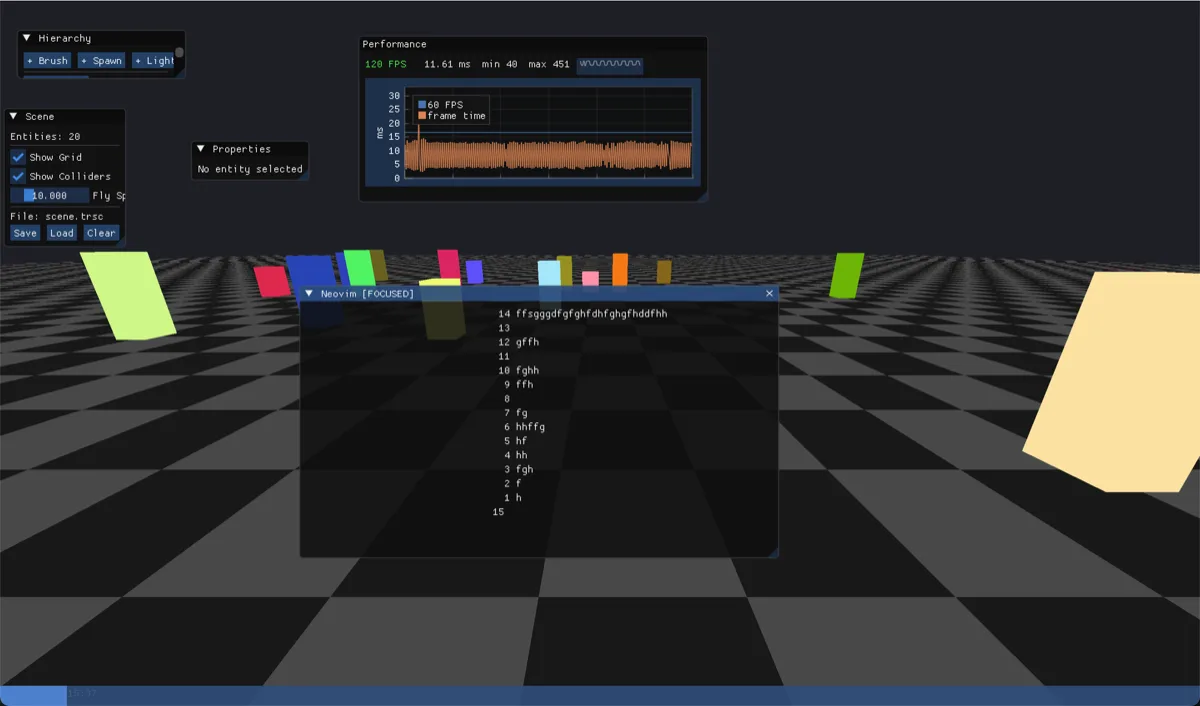
Your personal ~/.config/nvim/init.vim carries straight into Terra, this means any of your personal shortcuts will work natively without any futher config needed.
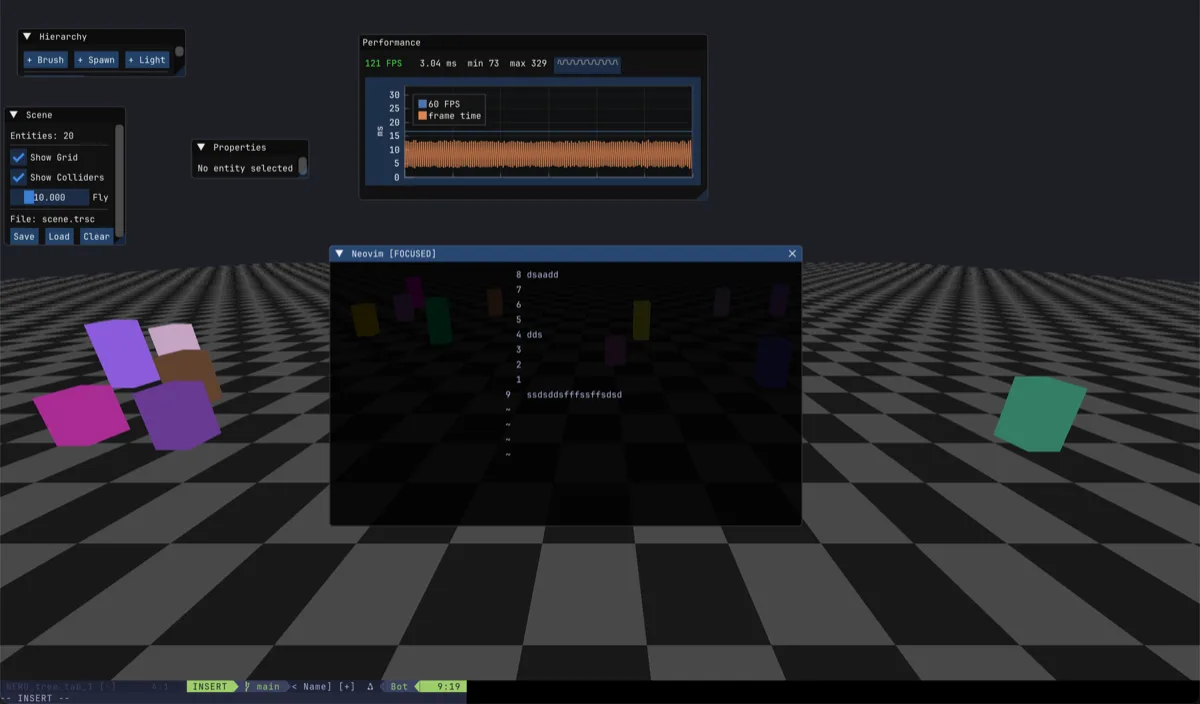
Vim line bar in terra
I then replaced our fake line bar with the real vim one. This is powerful because theres so many things we can do with this in our editor. This specifically is using the lualine bar which aligns with my future plans to introduce lua as the main language to program games in.
Introducing game engine modes

I utilised the vim lualine bar as a way to visually switch between modes in the terra engine. Usually, when using a game engine you have a tiny window where you play your game whilst testing with a load of windows, tabs overlapping all round. The idea here is to keep things as clean as possible and keep the flow between in game feel and programming seamless. The editor cycles between three modes with Shift+Tab:
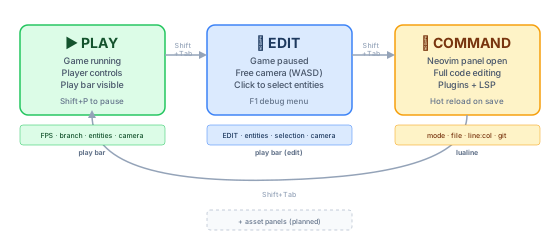
The play bar is configured from Lua and swaps appearance based on the current mode:
terra.playbar({
    theme  = 'tokyonight',
    left   = {'mode', 'fps', 'branch'},
    center = {'scene'},
    right  = {'entities', 'camera'},
})
The theme here will override your local vim theme if set. Left center and right allow the user to configure the line bar themselves.
Click an entity, see its code
In edit mode, when I click any entity and a floating code window appears above it. The window then show the relevant file and line specifically for that entity. Code is editable right here and changes will take affect in game instantly due to ‘hot save’.
It’s inspired by LittleBigPlanet’s popit menu.

Just open the file, edit a line and then :w to see changes take effect.