Teaching Terra to speak Lua
The game code has moved from C to Lua. Terra (the C engine) now exposes functions that Lua scripts call to spawn entities, move cameras, play sounds, and draw UI. The game itself is now a Lua script that the engine loads and runs.

The bridge
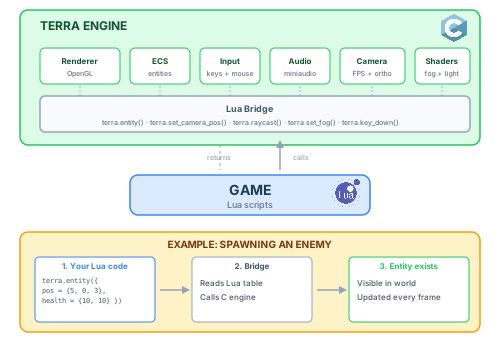
The Lua bridge is a single C file that wraps every engine system (renderer, input, audio, etc.) and exposes them as terra.* functions. I’ve got about 50 functions in here for now but I’m sure it will grow quite quickly as I start building larger games.
Lua hello world in terra
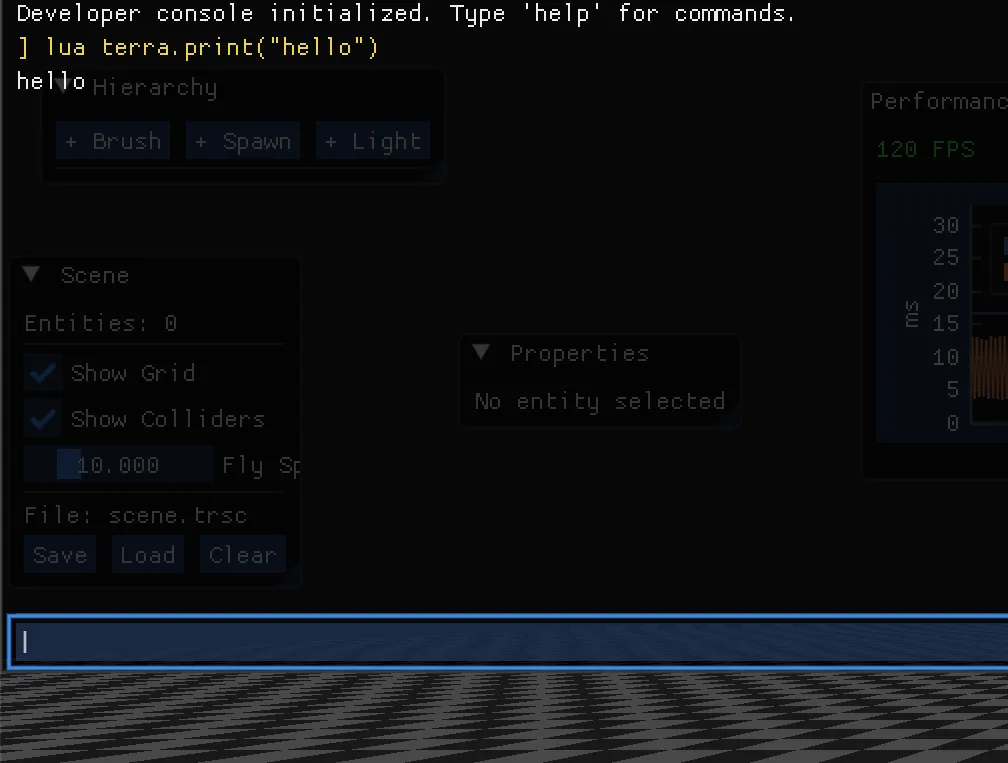
The first thing I got working was terra.print("hello") which you can see at the top of this screenshot of our engine console
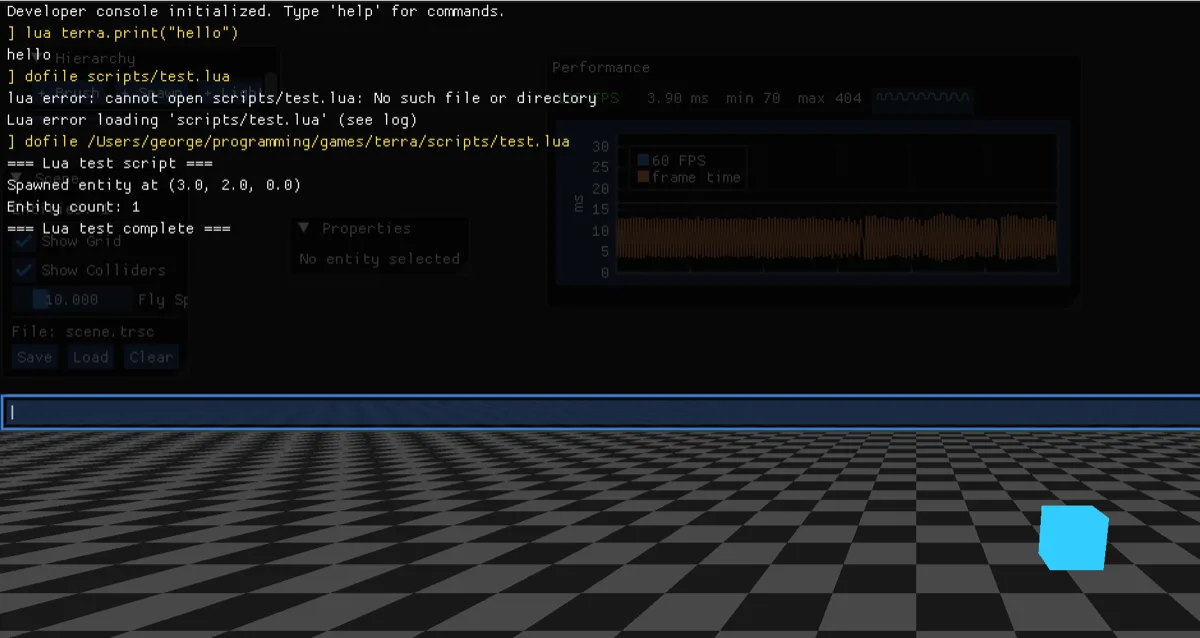
Then something a bit more useful, terra.entity(): spawning a cube from a Lua script.
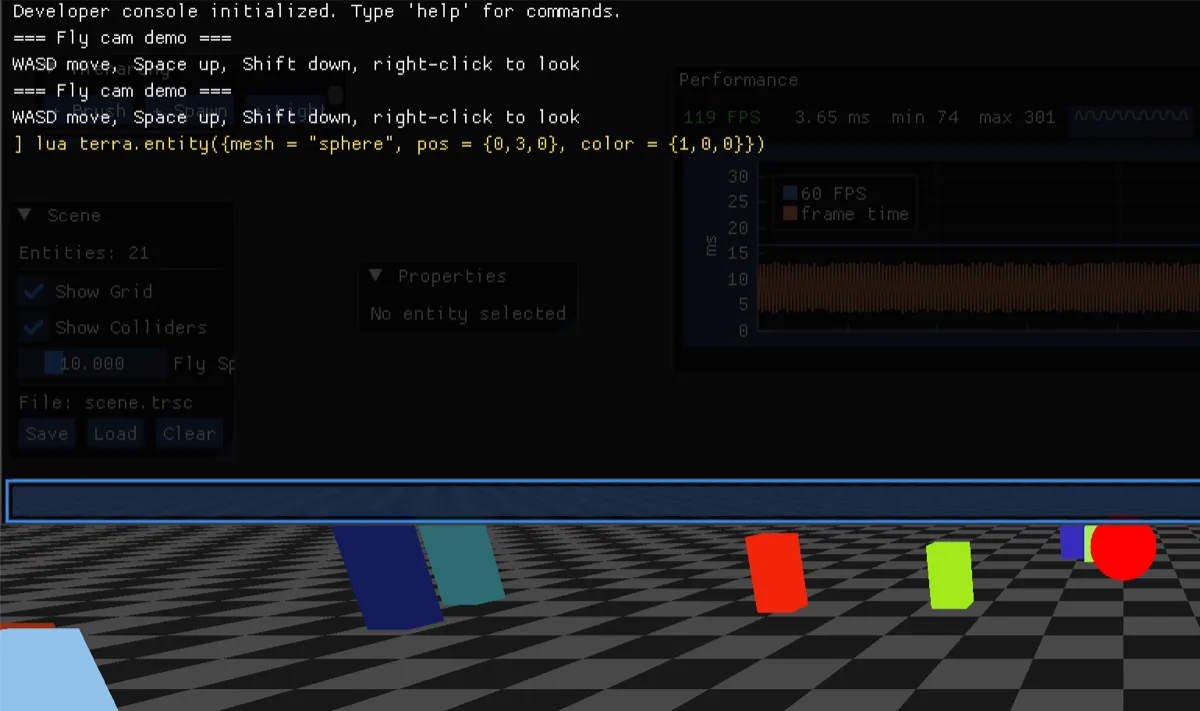
Once that worked, everything else followed quickly. Spawning spheres, changing colours etc all from Lua.
C vs Lua
Here’s what spawning an enemy looks like in C versus Lua:
// C: spawn an enemy manually
TrEntity e = tr_world_spawn(&world,
    TR_COMP_POSITION | TR_COMP_SCALE | TR_COMP_COLOR |
    TR_COMP_RENDERABLE | TR_COMP_HEALTH | TR_COMP_COLLIDER);
uint32_t idx = TR_ENTITY_INDEX(e);
world.c.position[idx] = (HMM_Vec3){{10, 0, 5}};
world.c.scale[idx]    = (HMM_Vec3){{0.6f, 0.6f, 0.6f}};
world.c.color[idx]    = (HMM_Vec3){{0.8f, 0.2f, 0.2f}};
world.c.health[idx]   = 3.0f;
world.c.max_health[idx] = 3.0f;
world.c.collider_radius[idx] = 0.5f;
-- Lua: same thing
terra.entity({
    pos = {10, 0, 5},
    scale = {0.6, 0.6, 0.6},
    color = {0.8, 0.2, 0.2},
    health = {3, 3},
    collider = 0.5,
})
It’s a lot more self explanatory, and only presents us with the values to provide for the basics. After implenting these changes, the entire ARPG prototype went from ~2,200 lines of C to ~800 lines of Lua.